Understanding how to track prices online can help you save a lot of money. These tools work by watching prices for you. They alert you when a price changes. This lets you buy when the cost is lowest. It takes the guesswork out of online shopping. You can make sure you are getting the best deal possible without constant checking.
What is a Price Tracking Browser Extension?
A price tracking browser extension is a small computer program. You add it to your web browser, like Chrome or Firefox. Think of it as a tiny helper living in your browser.
Its main job is to watch prices. It does this for products you are interested in.
When you look at an item on a shopping website, the extension can activate. It remembers that item. Then, it keeps an eye on its price.
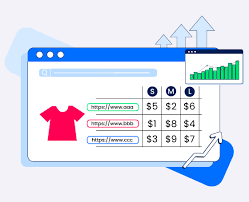
If the price drops or goes up, it lets you know. This is usually through a small notification. Or it might show you a price history chart.
It’s like having a personal shopper who tells you the best time to buy.
These tools work across many popular online stores. Amazon, Walmart, Target, and many others are often supported. Some extensions focus on specific types of products.
Others are more general. They aim to make online shopping more efficient. They help you avoid overpaying.
Why Do We Need Price Tracking?
Online stores have prices that change often. Sales pop up suddenly. Prices can go up just as fast.
It’s hard for anyone to keep up with all of it. We all want to get the best value for our money. Nobody likes to find out they paid more than they had to.
Imagine you buy a new TV. You’re happy with your purchase. A week later, you see it advertised for much less.
That’s a bad feeling. Price tracking extensions help prevent that. They give you the power to wait for the right moment.
This is true for big purchases and small ones. It takes the stress out of finding deals.
In today’s world, we do so much shopping online. Having tools that help us be smarter shoppers is important. These extensions offer that help.
They work in the background. You can browse as usual. They do the hard work of price watching for you.
This saves you time and effort.
How Do Price Trackers Actually Work?
The magic behind these extensions is quite clever. When you visit a product page, the extension reads the product information. It identifies the item and its current price.
It then sends this data to its own system. This system stores the information and monitors price changes.
Many extensions use web scraping. This is a method of automatically gathering data from websites. They visit product pages repeatedly.
They check if the price has changed. Some do this very often. Others might check a few times a day.
The frequency can depend on the extension and the store.
When a price drop is detected, the extension sends an alert. This alert can appear in a few ways. It might be a pop-up in your browser.
It could be a notification on your phone if the extension has an app. Some also show a graph of past prices. This graph helps you see if the current price is low or high compared to history.
The best extensions work with many retailers. They understand the different ways websites show prices. They can also track discounts and coupons.
Some even look for shipping costs. This gives you the full picture of the total cost. It ensures you’re not caught off guard by hidden fees.
Key Features to Look For
Price History Charts: See if the current price is a good deal. This shows past lows and highs.
Real-Time Alerts: Get notified right away when prices drop.
Coupon Finders: Some extensions automatically search for and apply discount codes.
Supported Retailers: Check if it works with your favorite stores.
Browser Compatibility: Make sure it works with your browser (Chrome, Firefox, etc.).
My First Time Using a Price Tracker
I remember wanting a new camera lens. It was a specific model I had my eye on. I saw it for $500.
I really wanted it, but that felt a bit steep. I put it in my online cart. I told myself I’d wait for a sale.
Days turned into weeks. I’d check the price maybe once a week. It stayed at $500.
I started to forget about it.
Then, a friend told me about a browser extension. He said it could watch prices for him. I was skeptical.
It sounded too good to be true. But I was curious. I downloaded one called Honey.
I went back to the camera lens page. Honey activated. It showed me that the price had actually been $450 a few weeks ago.
It also said it would let me know if it dropped again.
A few days later, I was browsing another site. A small notification popped up from Honey. It said, “Price drop alert for your saved camera lens!” I clicked it.
The price was now $475. It wasn’t a huge drop, but it was something. More importantly, I knew it could drop.
I decided to wait a bit longer. A week after that, it dropped to $440. I bought it then.
I felt so smart. It was a small victory, but it showed me how powerful these tools can be. I realized I had been leaving money on the table by not using them sooner.
Exploring Different Types of Price Tracking Tools
Not all price trackers are the same. Some are very simple. They just alert you to drops.
Others are more complex. They offer many features. Let’s look at a few common types you might encounter.
Price Comparison Extensions
These extensions work by scanning multiple retailers at once. When you look at a product, they show you prices from different stores. This helps you see if one place is cheaper than another.
They are great for finding the absolute lowest price at that moment.
Example: You look at a popular coffee maker on Amazon. The extension might show you the same model is $10 cheaper at Target. Or it might find it on sale at a smaller online shop you didn’t know about.
Deal Aggregators
These aren’t always browser extensions. Sometimes they are websites or apps. They gather deals from all over the internet.
They present them in one place. Some extensions can notify you when new deals are added. Or they might alert you to flash sales.
Example: A deal aggregator might show you a list of “Today’s Best Deals” on electronics. Or it might have a section for “Limited-Time Offers.”
Specific Retailer Trackers
Some extensions are designed for just one big store. For example, there are extensions that focus solely on Amazon. They might have special features for that platform.
They can track price history directly on Amazon. They might also monitor Prime Day deals very closely.
Example: An Amazon-specific tracker might show you how many times a product has been its lowest price ever. It can give you very detailed insights for that one store.
Coupon and Discount Code Finders
These are very popular. They work by automatically searching for and applying discount codes at checkout. When you are about to pay, they check if any codes are available.
If they find one, they try it. If it works, they apply it. This can save you money instantly.
Example: You’re buying clothes online. As you go to the payment page, the extension finds a “15% off” code. It enters it for you.
Your total goes down.
Popular Price Tracking Extensions and What They Offer
There are many great options out there. Each one has its strengths. It’s good to know what some of the top ones do.
This can help you pick the best one for your needs.
Honey
Honey is one of the most well-known. It automatically finds and applies coupon codes. It also tracks prices and adds items to a “Droplist.” You get alerted when prices drop.
Honey works on thousands of sites. It also has a rewards program called Honey Gold. You can earn points for future discounts.
Pros: Huge number of stores, easy to use, rewards program.
Cons: Some users worry about data privacy. It’s owned by PayPal.
CamelCamelCamel
This is a classic for Amazon shoppers. CamelCamelCamel focuses solely on Amazon. It provides detailed price history charts for Amazon products.
You can set price alerts. It’s very reliable for tracking Amazon prices. It doesn’t have a browser extension itself, but you can use their website to track items.
Pros: Very detailed Amazon price history, reliable alerts.
Cons: Only works for Amazon, no direct browser button.
Rakuten (formerly Ebates)
Rakuten is more of a cashback site. But it also has a browser extension. This extension alerts you to cashback offers.
It also finds coupon codes. When you shop at a participating store, the extension pops up. It reminds you to activate cashback.
It’s great for getting money back on purchases.
Pros: Good for cashback, finds coupons, many partner stores.
Cons: Cashback can take time to receive, not purely a price tracker.
PriceBlink
PriceBlink is a straightforward price comparison tool. When you are on a product page, it scans other retailers. It shows you prices from other stores.
It often highlights lower prices directly on the page. It’s simple and effective for quick comparisons.
Pros: Simple, fast comparisons, shows prices from many stores.
Cons: Fewer features than some others, no advanced alert systems.
Keepa
Keepa is another powerful Amazon price tracker. It offers excellent price history graphs. You can track prices and get alerts.
It also shows you best seller ranks and drops. It has both a free and a paid version. The paid version offers more advanced features.
Pros: Very detailed Amazon data, good alerts, free version is useful.
Cons: Focus is solely on Amazon.
Where Do These Tools Work Best?
Price tracking extensions are most helpful on large online marketplaces. These are places where prices can change quickly. They also work well for big-ticket items.
Think electronics, appliances, or furniture.
Amazon is a prime example. Prices on Amazon can fluctuate multiple times a day. Having an extension that tracks Amazon prices is very valuable.
It helps you snag deals during lightning sales or Prime Day. Websites like Walmart, Best Buy, and Target also see frequent sales and price changes. Extensions that cover these stores are also very useful.
For smaller online shops, it can be hit or miss. The extension might not support them. Or they might not change prices as often.
It’s always good to check the list of supported retailers for any extension you consider.
Sometimes, a price tracking extension might not work perfectly. This can happen if a website changes its layout. The extension might need an update.
Most developers work to keep them updated. But it’s something to be aware of.
Are There Any Downsides to Using Price Trackers?
While price trackers are great, there are a few things to consider. One is privacy. These extensions need to see the websites you visit.
They need to read product information. Some people are uncomfortable with this. It’s important to read the privacy policy of any extension you install.
Another potential issue is complexity. Some extensions have too many features. They can be overwhelming.
You might only want to track prices. But the extension tries to do a million other things. This can slow down your browser.
Or it can just be annoying.
Also, not every price drop is a great deal. Sometimes prices drop slightly. But the item might be available cheaper elsewhere with a coupon.
Or a newer model might come out. So, it’s still wise to do a little research yourself. Don’t blindly trust every alert.
Finally, some advanced features might cost money. While many extensions are free, some require a subscription. You need to decide if the paid features are worth the cost for you.
For most casual shoppers, the free versions are perfectly fine.
Tips for Getting the Most Out of Price Trackers
To really make these tools work for you, a few tips can help. First, be specific about what you want to track. Don’t just add everything.
Focus on items you really need or want. This keeps your alerts focused. It stops you from getting too much noise.
Second, use the price history feature. Don’t just look at the current price. See if the price has been lower recently.
See if it has been higher. This gives you context. It helps you decide if now is truly a good time to buy.
Third, combine tools if you can. Maybe use one extension for coupon codes. Use another for Amazon price history.
This gives you the best of both worlds. You can tailor your setup to your shopping habits.
Fourth, be patient. Prices don’t always drop when you want them to. Sometimes you have to wait a while.
Set your alerts and then try to forget about it. Let the tool do its job. When the alert comes, you can decide then.
Finally, remember that these tools are there to help you. They are not magic wands. They make shopping smarter.
They save you time and potential money. But they don’t replace common sense. Always compare deals and consider if you truly need the item.
Quick-Scan Table: Extension Strengths
| Extension | Primary Strength | Best For |
|---|---|---|
| Honey | Automatic Coupons & Price Alerts | General Online Shopping |
| CamelCamelCamel | Amazon Price History & Alerts | Amazon Shoppers |
| Rakuten | Cashback & Coupon Finds | Earning Money Back on Purchases |
| PriceBlink | Real-time Price Comparison | Finding Lowest Prices Quickly |
| Keepa | Detailed Amazon Data | Serious Amazon Price Analysts |
Real-World Scenarios: When Price Trackers Shine
Let’s think about some common situations. In these cases, a price tracker can be a lifesaver. Imagine you need a new laptop.
You have a budget. You find a model you like on a major electronics site. Instead of buying it, you add it to your price tracker’s watch list.
You set an alert for a price below your budget.
A few weeks later, during a holiday sale, the price drops. Your extension alerts you. You check the price history.
You see it’s the lowest it’s been all year. You buy it. You saved money without having to constantly check the website yourself.
Another scenario: you’re planning a vacation. You need to book flights or hotels. Prices for travel can change by the minute.
Some travel sites have built-in price alerts. But a good browser extension can also track prices across different travel booking sites. This helps you find the cheapest time to book your trip.
It can save you hundreds of dollars.
Even for everyday items, they help. Maybe you buy a specific brand of coffee pods every month. Or you need new running shoes.
If you buy them regularly, tracking their prices can lead to small savings over time. These small savings add up. They become significant when you look at your yearly spending.
The key is integrating them into your shopping habits. If you’re already browsing online, let the extension do its work. It becomes a background helper.
You get the benefits without adding extra steps to your day.
What This Means for Your Shopping Habits
Using price tracking extensions can change how you shop. You become a more informed consumer. You’re less likely to make impulse buys at full price.
You start thinking about the value of an item, not just its price tag.
It encourages a bit of patience. Instead of buying something the moment you see it, you might wait. You learn that waiting often pays off.
This can lead to better budgeting. You can allocate funds more effectively. You know that you’re getting the best possible deal.
You also become more aware of sales cycles. You start to notice when retailers typically have their biggest discounts. This knowledge helps you plan your purchases.
You can anticipate sales events like Black Friday or end-of-season clearances.
It’s about shifting from passive shopping to active, smart shopping. You’re taking control of your spending. You’re using technology to your advantage.
This can lead to significant savings over time. It makes online shopping less of a gamble and more of a sure thing.
When is it Okay to Ignore a Price Drop Alert?
While alerts are helpful, they aren’t always a signal to buy. Sometimes, a price drop might be very small. It might be only a dollar or two.
If the item isn’t urgent, it might be worth waiting for a larger discount.
Also, consider the total cost. If an item is cheaper at another store, even without a sale, that’s a better deal. Some extensions might alert you to a drop, but miss a competitor’s lower everyday price.
Always do a quick check if you’re unsure.
You should also think about the product itself. Is it an older model? Is a new version coming out soon?
Sometimes, prices drop because a product is being phased out. In such cases, you might get a good price, but you’ll be buying a model that’s no longer the latest or greatest.
If you track prices for something you don’t truly need, an alert might tempt you. You might end up buying things you don’t really want, just because they are on sale. It’s important to stick to your shopping list.
Only buy when the price drops on something you actually planned to purchase.
Simple Checks You Can Do
Before clicking “buy” on a price drop alert, do a few quick checks. These will help you confirm it’s a genuine good deal.
1. Check Price History: Look at the chart. Is this price truly a historical low?
Or has it been this low or lower before?
2. Compare Across Retailers: Even if the price dropped, is another store offering it for less right now? A quick search can reveal this.
3. Factor in Shipping: If there are shipping costs, add them to the price. A slightly higher item price with free shipping might be cheaper overall.
4. Look for Better Deals: Is there a new model coming out? Is the item heavily discounted elsewhere for a different reason?
5. Ask Yourself: Do I Need It?: The best deal is only a good deal if you actually need or want the item. Don’t buy just because it’s cheap.
Frequent Questions About Price Tracking Extensions
Are price tracking browser extensions safe to use?
Most popular price tracking extensions are safe. They are designed to be secure. However, it’s always wise to install them from official sources.
Check reviews and privacy policies. Some extensions collect browsing data. Be aware of what data they collect and how it’s used.
Can price trackers save me money on all online purchases?
They can save you money on many purchases. But not all. They work best on popular items from large retailers.
Smaller shops or custom-made items might not be supported. Also, if prices rarely change, the savings will be minimal.
Do I need to pay for good price tracking extensions?
Many excellent price tracking extensions are free. Tools like Honey and CamelCamelCamel offer robust free versions. Some extensions have premium tiers.
These offer more advanced features. For most people, the free options are more than enough.
How often do price trackers check prices?
This varies. Some check prices every hour. Others might check a few times a day.
The frequency often depends on the extension and the retailer. More frequent checks mean faster alerts for price drops.
What is a price history chart?
A price history chart shows how an item’s price has changed over time. It plots the price on a graph. This helps you see if the current price is high or low compared to past prices.
It’s a key tool for knowing if a sale is truly good.
Can price tracking extensions find coupon codes?
Yes, many do! Extensions like Honey and Rakuten are great at finding and automatically applying coupon codes. When you check out, they search for available discounts.
If they find one, they’ll apply it for you. This can lead to instant savings.
Do these extensions work on mobile apps?
Most browser extensions are for desktop browsers (Chrome, Firefox, Edge). Some companies offer companion mobile apps. These apps might provide alerts or allow you to track items.
However, the direct browser extension functionality is usually limited to desktop.
The Bottom Line on Saving Money with Price Trackers
Price tracking browser extensions are powerful tools. They help you shop smarter online. They take the guesswork out of finding the best deals.
By watching prices for you, they save you time and effort. You can get notifications when prices drop. This lets you buy when the cost is lowest.
Remember to choose extensions that fit your needs. Look at supported stores and features. Be mindful of privacy.
Use the price history charts. Compare prices and don’t chase every small discount. With a little effort, these tools can help you save a lot of money over time.
Happy smart shopping!