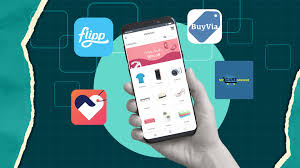
Comparing prices for everyday items can feel like a chore. Many apps exist to help you find the best deals quickly. These tools scan prices across many stores. They show you where to get what you need for less. Using them can save you time and money on groceries, electronics, and more.
What Are Price Comparison Apps?
Price comparison apps are like having a super-smart shopping assistant right in your pocket. They work by scanning and collecting pricing information from many different online stores. Think of them as digital detectives for deals.
When you search for a product on one of these apps, it doesn’t just show you one price. Instead, it searches across many retailers. It then shows you a list of where that item is sold.
It also tells you the price at each place. Some apps even include shipping costs. This helps you see the total cost upfront.
These apps are designed to make your shopping experience easier. They save you the time and effort of visiting multiple websites yourself. This is especially helpful when you’re looking for popular items or need to make a quick purchase.
They give you the power to know you’re likely getting a good deal.
Why Use Price Comparison Apps?
The main reason people use these apps is simple: to save money. In today’s world, prices can change very quickly. What was a good deal yesterday might not be today.
These apps help you catch the best prices as they happen.
But it’s not just about saving cash. They also save you a lot of time. Instead of opening ten browser tabs to check prices, you open one app.
This is a huge relief when you’re busy. You can quickly see where to buy something without a long search.
Another big plus is confidence. When you use a comparison app, you feel more sure about your purchase. You know you’ve looked at several options.
This reduces the chance of buyer’s remorse. You can shop with peace of mind, knowing you made an informed choice.
How Do They Work?
The magic behind these apps involves several steps. First, they gather product data. This includes details like product names, model numbers, and descriptions.
They get this from retailer websites and product feeds.
Next, they scan prices. The apps constantly check the prices for millions of products. They look at major online stores and smaller shops too.
This is done through automated systems that mimic how people browse online. They might also use special data feeds provided by the stores themselves.
Once they have the prices, they organize the information. They match identical or very similar products. Then, they present this data to you in an easy-to-understand format.
You see the item, the price, and the store. Some apps also add reviews or product details.
The goal is to give you a clear picture. You can see the lowest price and compare it to others. It’s a quick way to find the best value for your money.
The Best Price Comparison Apps for Different Needs
Not all apps are made the same. Some focus on specific types of shopping. Others are great for general deals.
Let’s look at some top choices and what they do best.
Top Picks for Everyday Savings
General Shopping: Honey
Honey is a super popular browser extension and app. It automatically finds and applies coupon codes at checkout. It also has a rewards program called Honey Gold.
You earn points on purchases. These points can be redeemed for gift cards. It works on many popular retail sites.
Groceries: Flipp
Flipp is amazing for grocery shoppers. It brings weekly ads from your local stores right to your phone. You can browse flyers, find deals, and even create shopping lists.
It helps you plan your meals around sales.
Electronics: PCPartPicker
If you’re building a computer or buying electronics, PCPartPicker is gold. It compares prices for computer parts from many online retailers. It also checks for compatibility between parts.
This is a must-have for tech enthusiasts.
Finding the Lowest Overall Price
For Everything: Google Shopping
Google Shopping is a powerful tool. It pulls prices from countless online stores. You can search for almost any product.
It shows you prices, product images, and links to buy. It’s easy to use and covers a vast range of items.
Deals & Coupons: Rakuten
Rakuten (formerly Ebates) gives you cashback on purchases. You shop through their app or website. They partner with thousands of stores.
You get a percentage of your spending back. It’s like getting a discount after you buy. They also offer coupons.
Comparison for Specific Items: CamelCamelCamel
This app is fantastic for Amazon shoppers. It tracks prices of products on Amazon over time. You can see price history charts.
This helps you know if a sale price is truly a good deal. You can also set price drop alerts.
Using Honey: A Personal Story
I remember one evening, I was buying a new coffee maker. I’d found one I really liked on a big online store. The price seemed okay.
But then I thought, “Is this the absolute best I can do?” I almost clicked ‘buy’. But I decided to try Honey first.
I added the coffee maker to my cart. Then I opened the Honey app. It scanned the store for me.
In seconds, it popped up. It found a discount code that I had no idea existed! The code knocked another $15 off the price.
It also found that I could get 2% back in Honey Gold points. That night, I felt like a super-spy. I had uncovered a secret deal.
It was a small saving, maybe, but it felt like a big win. That’s the power of these tools.
What to Look for in a Price Comparison App
When you’re picking an app, think about what matters most to you. Do you shop for groceries a lot? Or are you more into tech gadgets?
Here are some things to keep in mind:
Key Features to Consider
Coverage: Does the app cover the stores you actually shop at? Some apps focus on big retailers, while others include smaller niche shops.
Ease of Use: Is the app simple to navigate? Can you find what you’re looking for quickly? A confusing app won’t save you time.
Alerts: Does it let you set price drop alerts? This is great for items you want but aren’t ready to buy yet.
Rewards/Cashback: Do you get extra benefits like cashback or loyalty points? These add to your savings.
Product Scanning: Can you scan a product’s barcode in a physical store? This is handy for impulse buys.
My own experience shows that checking for codes is a game-changer. Even small savings add up over time. Think about how often you shop.
Then choose an app that fits your habits best.
Price Comparison for Groceries: Flipp in Action
Grocery shopping is where many of us spend a good chunk of our budget. Flipp is a fantastic tool for this. Imagine you need milk, bread, and eggs.
Instead of driving to three different stores to check flyers, you open Flipp.
You can search for specific items. Or you can just browse weekly ads from stores like Walmart, Kroger, Safeway, and your local supermarket. Flipp shows you the sale price, the normal price, and when the sale ends.
You can even clip digital coupons directly in the app. It helps you build your shopping list based on the best deals. This means you can plan your meals around what’s on sale.
It’s a smarter way to buy food. It stops you from paying full price for items you could get cheaper elsewhere.
Flipp: Your Grocery Deal Finder
Browse Local Ads: See weekly flyers from all your favorite stores.
Search for Items: Find out which stores have your needed items on sale.
Clip Coupons: Add digital coupons to your store loyalty cards.
Create Lists: Build your shopping list with prices included.
I’ve seen friends use this for their weekly shop. They come back with bags full of food. They’re always amazed at how much less they paid compared to when they didn’t plan with Flipp.
It truly makes a difference for budget-conscious families.
Electronics and Big Purchases: PCPartPicker and CamelCamelCamel
When it comes to bigger ticket items, like a new TV or computer components, careful comparison is key. Prices for these can fluctuate a lot. And you want to ensure you’re getting reliable quality, not just the cheapest option available.
PCPartPicker is a lifesaver if you’re building a PC. It lets you select parts, and it checks prices from many retailers. It also warns you if parts aren’t compatible.
This prevents costly mistakes. I’ve spent hours on this site, tweaking my dream PC build, and always feeling confident about the price I’m getting.
For other electronics, like TVs or cameras, CamelCamelCamel on Amazon is invaluable. It shows you the price history. You can see if the current “sale” price is actually just the normal price.
Or if it’s a genuine discount. It also lets you set alerts. If the price drops to your target, you get an email.
This is perfect for patient shoppers.
Smart Shopping for Electronics
PCPartPicker:
- Compares prices for PC components.
- Checks part compatibility.
- Helps build custom computers.
CamelCamelCamel:
- Tracks Amazon product prices.
- Shows historical price data.
- Alerts you when prices drop.
I remember wanting a new soundbar. The price was high. I set an alert on CamelCamelCamel.
A month later, the price dropped by almost $100. I got an email and bought it immediately. It felt like I had won the lottery.
These tools really reward smart research.
Beyond Just Price: Other Factors to Consider
While price is important, it’s not the only thing that matters. Think about shipping costs. A cheaper item might end up costing more if shipping is high.
Some apps will show you the total cost, including shipping. This is super helpful.
Also, consider return policies. If a store has a very strict return policy, you might want to avoid it, even if the price is a bit lower. A good app might sometimes mention return information.
But often, you’ll need to check the retailer’s website.
Customer reviews are another good place to look. What do other buyers say about the product? And what about the seller?
A low price is no good if the product is faulty or the seller is untrustworthy.
My advice is to use these apps as a starting point. They help you find potential deals. Then, take a moment to check the details.
Look at shipping, returns, and reviews. This layered approach ensures you’re not just getting a good price, but also a good overall value.
When is a “Deal” Not a Deal?
It’s easy to get excited about sales. But sometimes, a price isn’t as good as it looks. This is where price history tools like CamelCamelCamel really shine.
You might see a TV advertised as “50% off.” But if you check the history, you see it was at that price last month too. Or maybe the original price was inflated.
Another common trick is a “limited-time offer” that’s always available. Or a product that’s slightly different from a better-known model. The goal is to get you to buy without truly comparing.
Price comparison apps help you see through these tactics.
I once saw a gadget on sale for $20. It seemed like a great deal. I checked it on a comparison site.
It showed the same gadget was $21 at another store, but that store offered free shipping. The other store’s price was better when you factor in the free shipping. So, the original “deal” wasn’t the best deal after all.
Spotting a True Deal
Check Price History: Use tools like CamelCamelCamel to see past prices.
Factor in All Costs: Include shipping, taxes, and potential fees.
Compare Similar Items: Make sure you’re comparing the exact same product.
Read Reviews: Look for feedback on the product and seller.
It’s important to be a little skeptical. These apps arm you with knowledge. Knowledge helps you make better choices.
It helps you avoid falling for marketing tricks. It’s about making your money work smarter for you.
What This Means for Your Wallet
Using price comparison apps can lead to significant savings over time. Imagine saving $5 on one purchase, $10 on another, and maybe $50 on a larger item. These amounts add up quickly.
Many people find they save hundreds of dollars a year just by using these tools regularly.
It also means you can get more for your money. That $100 you saved could be put towards another item you need. Or it could go into savings or investments.
It frees up your budget for other things.
Beyond just the money, it reduces shopping stress. You’re not constantly worried about missing a sale. You have confidence in your purchases.
This mental peace is valuable too. It makes shopping less of a chore and more of a strategic activity.
For example, my cousin started using Flipp for her weekly groceries. She used to spend about $150 a week. After using Flipp to plan her meals around sales, she got her grocery bill down to around $110-$120.
That’s a saving of $30-$40 every single week. Over a year, that’s thousands of dollars. It’s life-changing money for her family.
Quick Fixes and Tips for Smarter Shopping
Here are some simple tips to get the most out of price comparison apps:
Shopping Smarts
- Start with Your List: Know what you need before you start searching.
- Be Patient: If it’s not urgent, set price alerts for items you want.
- Compare Shipping: Always include shipping costs in your final price comparison.
- Use Browser Extensions: Tools like Honey can work automatically as you shop.
- Don’t Forget Local Stores: Apps like Flipp are great for in-person shopping savings.
- Read Reviews: Look beyond the price; quality and service matter.
The biggest tip is consistency. Make it a habit to check prices before you buy. Even for small items.
Over time, those small savings will grow into something substantial. It’s like a little financial superpower you carry around.
Frequently Asked Questions About Price Comparison Apps
Are price comparison apps free to use?
Most popular price comparison apps are free for consumers. They often make money through affiliate partnerships with retailers. This means they get a small commission if you buy something through their link.
Can these apps find deals on physical store items?
Yes, some apps are great for physical stores. Flipp, for example, shows weekly ads and deals for brick-and-mortar stores. Other apps might let you scan barcodes in stores to check online prices.
Do I need to create an account for every app?
Not always. Some apps allow you to browse and compare prices without an account. However, to use features like price alerts, saved lists, or rewards programs, you’ll usually need to sign up.
Are these apps safe to use on my phone?
Reputable price comparison apps are generally safe. They are designed to help you save money. Always download apps from official app stores (like the Apple App Store or Google Play Store) to ensure you get the genuine, secure version.
How often do the prices update in these apps?
The frequency of price updates varies by app. Many apps update prices constantly throughout the day. For things like weekly grocery ads, the information is typically updated on a set schedule, often weekly.
Can I use multiple price comparison apps?
Absolutely! Many savvy shoppers use a combination of apps. For example, you might use Flipp for groceries, Honey for online coupons, and CamelCamelCamel for Amazon price tracking.
Using multiple tools can help you find the best overall savings.
Final Thoughts
Finding the best price can feel overwhelming. But it doesn’t have to be. Price comparison apps are powerful tools.
They give you the information you need to shop smarter. They help you save money and time. Explore the apps mentioned here.
Find the ones that fit your lifestyle. Your wallet will thank you.